
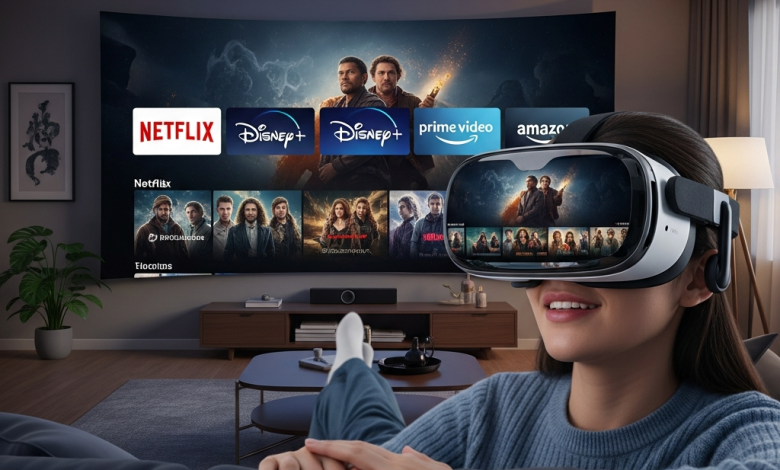
I still get a kick out of remembering the first time I strapped on a VR headset. I’d been sold on the idea that I’d be transported to a fantastical world – and in a way I was, but I found myself in a virtual living room, slumped on a virtual couch just thinking… is it even possible to just chill & watch Netflix here? It felt like stepping into a futures scenario that was also depressingly normal at the same time. That’s been the weird charm of modern VR all along – it can take you to the unimagined realms or just turn into an awesome, private movie theatre for your weekend Netflix binge.
But in all honesty, its a lot more than just a tech demo. The real question is can you actually enjoy the experience? Can you watch your favourite streaming services on VR? Absolutely – you can. But the real question is are you going to want to try, and what is that experience actually like in comparison to just watching from your couch. We’re talking a mix of wildly immersive experiences & some pretty obvious compromises – a bit like peeking into the future of TV watching when it’s still just figuring it out.
This guide will take you through everything you need to know to get your favourite shows on in virtual reality. We’re going to take a close look at the current state of play, how you go about doing it, the hardware probs you’re likely to hit, & whether this is all just a novelty that’ll be a flash in the pan, or the start of something really big.
1. The Current State of OTT Platforms
OTT platforms have completely turned the way we consume media on its head, transitioning us from set schedules to a never-ending feast of on-demand entertainment. We’ve gone from watching a broadcast together to having access to loads of stuff on Netflix, Amazon, Disney+, and heaps of other services at our fingertips. What’s driving this change is the focus on personalisation and convenience – algorithms are constantly suggesting the next thing we’re going to fall in love with, and we can watch it whenever and wherever we like. The current battle for supremacy is all about getting exclusive originals & live sports on there, making it almost impossible to imagine life without these services. Yet, for all the innovation in content they’ve put in, the basic way we watch programmes has remained essentially the same – just a flat screen. This is where VR & immersive tech come in – they see an opportunity to take this a whole lot further. The next leap forward for these platforms isn’t just what stories they tell but, essentially, how they make you feel like you’re right in the middle of the action. The one question they’re slowly starting to grapple with is whether a 360-degree experience is the next logical step for binge-watching.
2. What are AR & VR, and How Do They Tie into OTT Streaming?
Let’s get a basic handle on what these technologies are all about. Virtual Reality (VR) is basically a super immersive digital experience – you slap on a headset and the real world disappears, leaving you in a computer-generated world. Augmented Reality (AR), on the other hand, is all about layering extra digital info on top of what you’re already seeing in the real world – so like seeing your street directions on your glasses.
When it comes to OTT streaming, VR is right now the standout performer. It works by making virtual cinemas or unique little viewing spaces where you watch your regular 2D or 3D flicks. It also allows for some really experimental stuff like immersive 360-degree videos where you can just look around and see what’s going on – think a nature doc where you feel like you’re right there in the jungle. AR’s still pretty much in the early stages – think live sports streams with some extra graphics or a virtual screen that pops up on your wall.
While VR is all about escaping the real world, AR is about just making your existing experience better. Both of them are headed towards a future where TV doesn’t have to be stuck in a box.
3. Enter VR: A New Dimension of OTT Entertainment
Ditch the sofa. With VR, your OTT entertainment is no longer stuck in the living room. You can be on the surface of the moon, in a 1920s movie palace, or lost in an otherworldly nebula – the possibilities are endless. That’s the main draw: immersive viewing that blows past the constraints of your real life space.
This isn’t just about a bigger screen – it’s a whole new location and atmosphere. Even the social side of things gets a shake-up, with platforms like Meta’s Horizon Venues letting you catch a movie with friends’ avatars from all over the world.
And if you’re flying solo, it’s a pretty unbeatable way to watch – no phone buzzing, no cluttered room, just you and the film. This new way of watching is a game-changer for certain types of movies and shows. Watching a horror flick in a blacked-out virtual theatre is a whole lot more terrifying. A concert film feels way more real. But it’s a totally hands-on way of viewing.
You’re wearing a headset and actively situated in a virtual space, which is a far cry from the passive comfort of just flopping on the couch and watching TV – that said, it’s an amazing, focused experience that lets you lose yourself in the film.
4. Getting Netflix and Other OTT Platforms to Work in Virtual Reality
Meta Quest / VR Headsets
The simplest way to get set up is with a headset like the Meta Quest – essentially an android based device that lets you just download the apps you want and get straight in. You can grab official apps like Netflix, Prime Video and YouTube VR from the store and just launch them on the headset. The experience is pretty seamless – just chuck the headset on, hit play and you’re in a dedicated virtual space. The Quest’s best feature is that it’s a self-contained unit – no need for a PC or console. The picture quality is good, but not as high as some other units, and the freedom to move around without cables is a big plus.
Android-Based VR – Google Cardboard & Friends
If you’re on a budget, then Google Cardboard and other mobile VR things use your smartphone as the screen and processor. You download a VR video player and then just access OTT content through the mobile browser or supported apps. To be honest, the experience is a bit rougher – lower resolution, not as much head movement and often no virtual environment to speak of. It’s a great idea for 360-degree videos on YouTube, but for just watching your favourite TV shows on a big screen, it’s more like strapping a phone to your head than actually going to a cinema.
iPhone Issues and Workarounds
Here’s the thing: Apple makes it a bit harder to get set up than Android does. There’s no native VR platform for iPhones that’s as slick as what Android’s got. So you’ve got to rely on browser-based VR viewing on more advanced headsets. For example, on the Quest you can use the Safari VR browser to go to the OTT website and log in. It’s doable but not as slick as a native app – and there’s always the chance you’ll run into video player issues or lower res.
Using a Browser to Watch VR Content
This is what you go to when the fancy apps don’t exist. Most VR headsets have a built in web browser so you can just go to the OTT website (eg Netflix, Disney+ or Hulu), log in and play in a virtual window. You can usually resize and reposition this screen to suit. The good news is that you can get access to all the services without native apps. The bad news is that often your streaming resolution will be lower (usually 720p max) and the interface isn’t really set up for VR controllers – so you might find it a bit fiddly to navigate.
5. Getting Lost in VR Cinemas – The Art of Immersive Storytelling
While VR might just be a fancy way of recreating what you could see on a flat screen – VR offers some really interesting ways to tell a story in a whole new way. With apps like Bigscreen or Skybox dedicated VR cinemas, you can actually watch movies with a bunch of other people in a pretty mind-blowing virtual theater – either streaming from their libraries or the internet. But the real mind-bender is immersive storytelling. Apps like Within or Oculus TV are specifically designed to deliver native VR experiences – either short films or tryptichs that put you right in the thick of things.
So you might find yourself looking down and suddenly getting the jitters as you realise you’re sat in a car during a high-speed chase, or turning round to see something crucial happen out of the corner of your eye.
Even the big streaming giants haven’t really got into this type of content on a large scale yet – but it’s pretty clear that this represents a whole new language for filmmakers to play with – one that’s more about feeling like you’re part of the story, than just passively watching it from the outside – even if it’s just from a passive standpoint, stuck in the middle of a stunning 360-degree scene.
6. Hardware and Technical Necessities for Watching OTT in VR
VR Headsets
Your overall experience is really down to the quality of your hardware. A standalone headset like the Quest 3 or Pico 4 is probably your best bet for a smooth, hassle free experience. If you’re after the best of the best for visuals, then a PCVR headset like the Valve Index might be the way to go – but be prepared to sacrifice the convenience of going wireless and invest in a serious gaming PC. Display resolution and lens quality are going to be critical to being able to read text on screen and avoid that frustrating “screen door effect”
Internet Speed and Bandwidth
Streaming high-quality video inside your VR headset needs a seriously strong internet connection. A 25 Mbps connection might just about cut it for 4K on a TV, but for a wireless headset, you really want to be plugged into a stable Wi-Fi 6 connection. And if you’re streaming via a browser on a PC, don’t even think about wireless – Ethernet is the way to go for the best results.
App Compatibility Issues
Unfortunately one of the biggest headaches when it comes to getting started with VR OTT is working out which apps are actually compatible with your headset. Start with the official store for your headset – does it have native Netflix and Disney+ apps? If not, then your main option is going to be the web browser – and that may come with some compromises on picture quality. And to be honest, this fragmentation of apps across different systems is one of the biggest obstacles to getting a seamless experience.
Comfort and Motion Concerns
And then there’s the elephant in the room: how comfortable is the headset to wear? Even the best ones can feel a bit clunky on your face, especially if you’re watching a two hour movie. You need a well-designed head strap and some thought to ergonomics – and if you wear glasses, don’t forget to factor in spacers! Oh, and just to make things a bit more complicated – while watching static video might not cause motion sickness, some people find the VR environment itself can be a bit tricky to stomach. So, take it easy, and start with shorter sessions to test the waters.
7. The Challenges of Using VR for OTT Streaming: Reality Bites
The dream of a perfect home cinema in VR keeps getting smacked up against some ugly realities. To start off, you’re looking at a big upfront cost for a decent VR headset – we’re talking upwards of $300, just so you can watch content you’re already paying for. And then there’s the fact that most OTT libraries are still stuck in the past, with only a tiny fraction of content made with VR in mind – 99% of it is still good old flat video. On top of that, VR streaming is a bandwidth hog – it can put a serious strain on your home network, especially when you’re trying to stream to the whole family.
But honestly, the biggest frustration is probably the lack of proper VR apps from the major players. Lots of the big services haven’t even bothered to update their VR apps in years, or maybe never bothered to make one in the first place – which leaves you with clunky browser-based workarounds, not exactly the premium experience you were hoping for.
8 What’s Next? AR & VR in OTT Streaming – Where it’s Heading
The future of AR & VR in OTT streaming all comes down to making it all work together seamlessly. You can bet your bottom dollar that mainstream adoption of things like “social viewing” are just around the corner – suddenly having virtual movie nights with your friends wont feel like sci-fi anymore. With headsets like the Apple Vision Pro pushing the boundaries of “high-resolution passthrough AR” the idea of watching multiple OTT services on multiple screens scattered around your living room becomes a whole lot more plausible – and it blows the lines between digital and real worlds right open.
But the real wild card is when a major movie or TV studio finally decides to put their money where their mouth is and backs a big-budget “immersive series” designed from the ground up for VR – not just some gimmicky VR experiment. The tech is ready to roll – now it’s all about the content to catch up.
Final Thoughts: Is Watching OTT on VR Worth It?
To be honest for me though it’s a pretty cool little corner of the world that only a handful of people currently inhabit. If you’re a total movie nut who loves the idea of getting completely lost in a film in a tiny apartment, or you want to watch a horror movie that’s literally going to scare the pants off you, then VR can be an absolute blast.
You really do get this sense of being right in the middle of things and the image quality is just stunning. But, on the flip side, for your average Joe who just likes to chill out and watch some shows every night on their streaming service? The hassle of getting the headset on, worrying about how comfortable you’re going to be & dealing with the limitations of the app in general makes it kinda hard to beat the old reliable TV. Like, it’s an amazing party trick and a seriously eye-opening way to experience certain types of content, but for me it’s never going to replace my couch – and right now most people’s couches for that matter.
I reckon it’s absolutely worth giving a try tho, and who knows, it’s got all the hallmarks of a pretty exciting future for us viewers, but for now it’s more of a ‘nice to have’ than a ‘must have’.
